

Quick answer
Parkomate LED Display and Signage products show live parking availability, directions, zone counts and facility instructions at entry gates, ramps, aisles and decision points. The boards connect with Parkomate parking systems to guide drivers using clear numbers, arrows and visibility-first sign formats.
Parkomate LED Display and Signage products show live parking availability, directions, zone counts and facility instructions at entry gates, ramps, aisles and decision points. The boards connect with Parkomate parking systems to guide drivers using clear numbers, arrows and visibility-first sign formats.
Specifications
- Display modules
- P5 / P2.5 RGB LED modules as per supplied product content
- Housing
- Outdoor IP65 mild steel enclosure where required
- Mounting
- Standing, hanging or wall-mounted configurations
- Communication
- HTTPS over Ethernet or Wi-Fi as per architecture
- Display content
- Numbers, arrows, level/zone labels, status messages
- Operating temperature
- 5 C to 55 C as per supplied product content
- Vibration tolerance
- 10-60 Hz, 2.5G across 3 axes as per supplied product content
How it works
- Parking cameras, sensors or the management system calculate available spaces.
- The server sends the updated count and direction command to the display controller.
- The board shows zone names, arrows and available bay numbers.
- Brightness and content formats are configured for indoor or outdoor visibility.
- Drivers use the display before committing to a lane, ramp or level.
Best suited for
Best when drivers need a clear decision before entering a level, ramp or lane. Use this when:
- The facility has multiple entries, ramps, floors, aisles or parking zones.
- Availability counts must be visible from a moving vehicle.
- Indoor or outdoor parking guidance needs a driver-facing communication layer.
Compare with: use Parking Analytics when the audience is the facility manager, not the driver, and Demarcation and Safety Products where the issue is physical lane discipline. LED displays convert occupancy data into visible instructions, reducing wrong turns and hesitation at decision points.
Installation and civil requirements
- Structural mounting design for wall, pole, ceiling or pedestal.
- Power and network point near each display.
- Visibility check from driver approach distance and angle.
- Final content format: zone names, arrows, line count and language.
- Weatherproofing and cable protection for outdoor boards.
Photo gallery
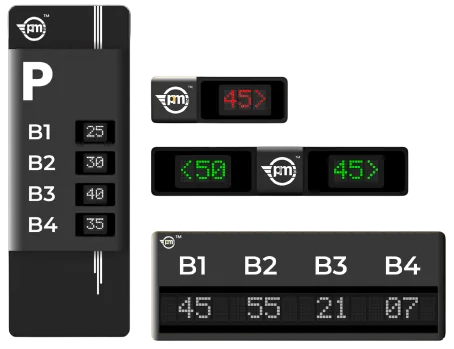 Actual Signages
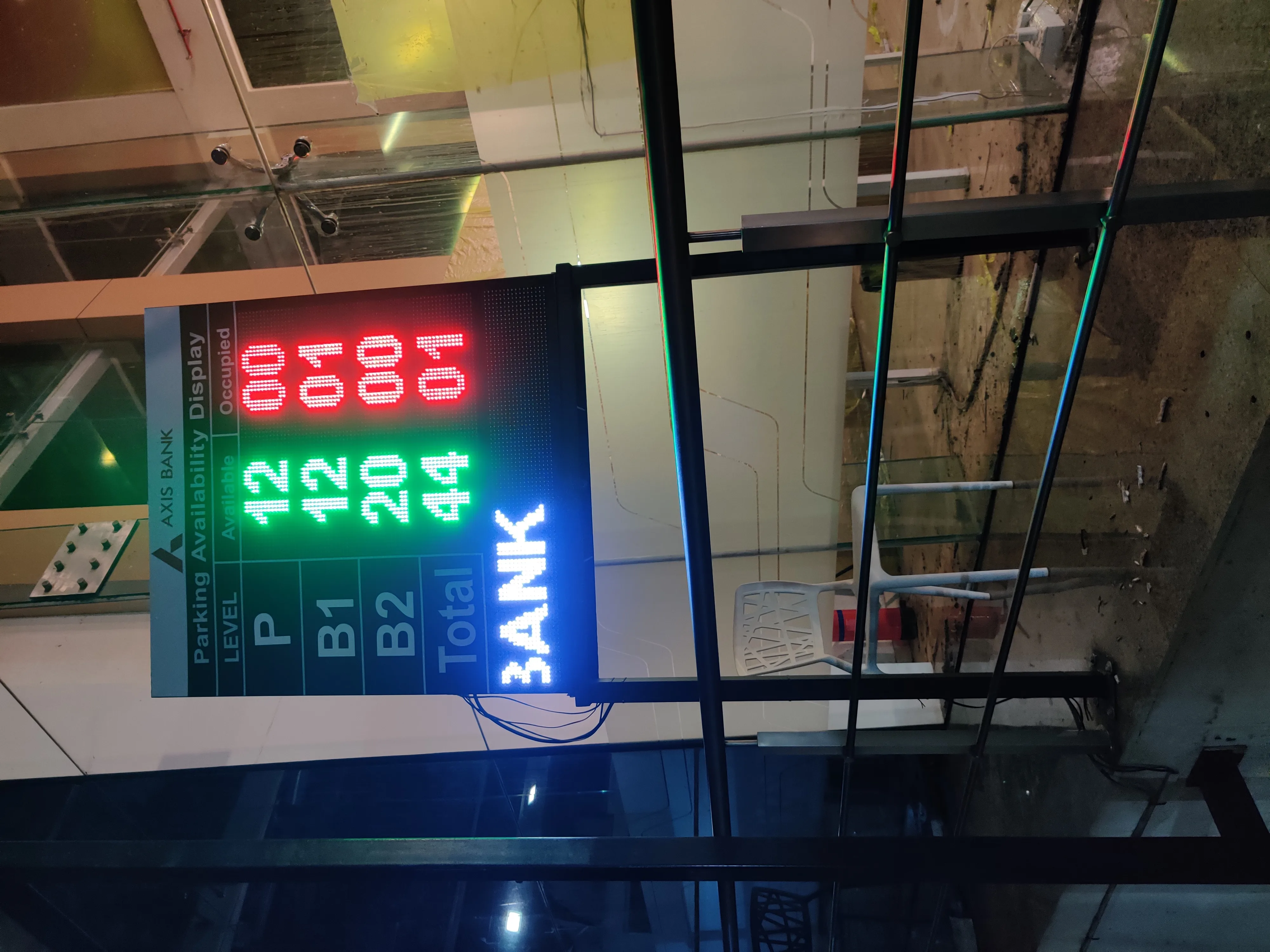 Axis Bank Installlation
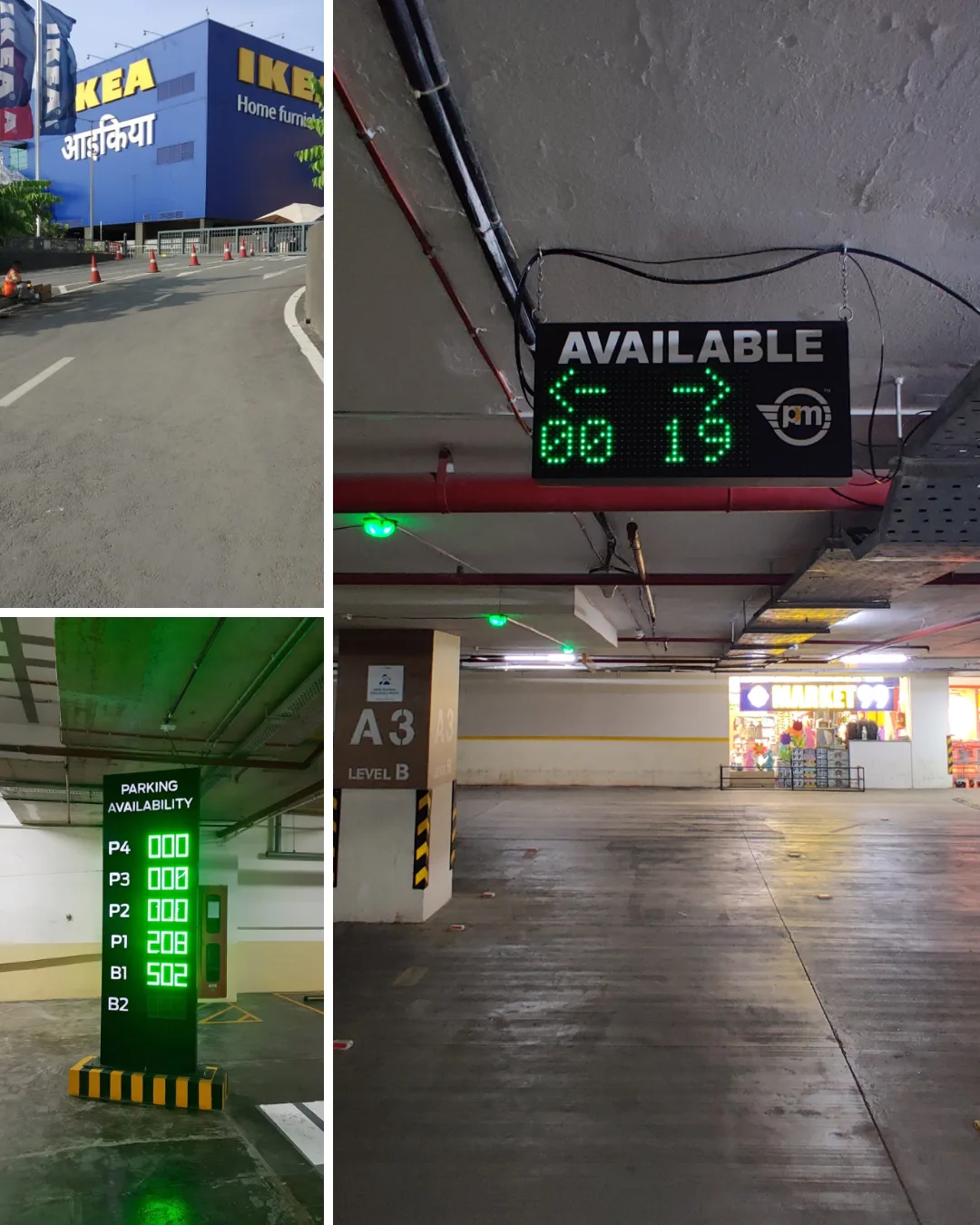 Actual Installations
FAQ
Common questions
What does a parking LED display board show?
It shows available-space counts, directions, arrows, level names and parking status messages.
Can the board work outdoors in rain?
Yes. Outdoor boards can use IP65-rated weather-resistant housings.
Can display board size be customized?
Yes. Size, casing, mounting and content layout can be customized after site assessment.
How does the display get live parking data?
The display receives updated counts from the server connected to cameras, sensors or the parking management system.
Can the board show different zones at the same time?
Yes. Multi-line layouts can show separate counts for floors, wings or zones.